Progress over time
Follow your speed trend and compare where you started with how you type today.
Your next chapter PRO
You already have something to say. Go deeper with insights that guide your practice, albums that feed your curiosity, and an experience that feels like you.
Built natively for Windows. Made for your everyday progress.
 A little more insight.
01 / Understand your progress PRO
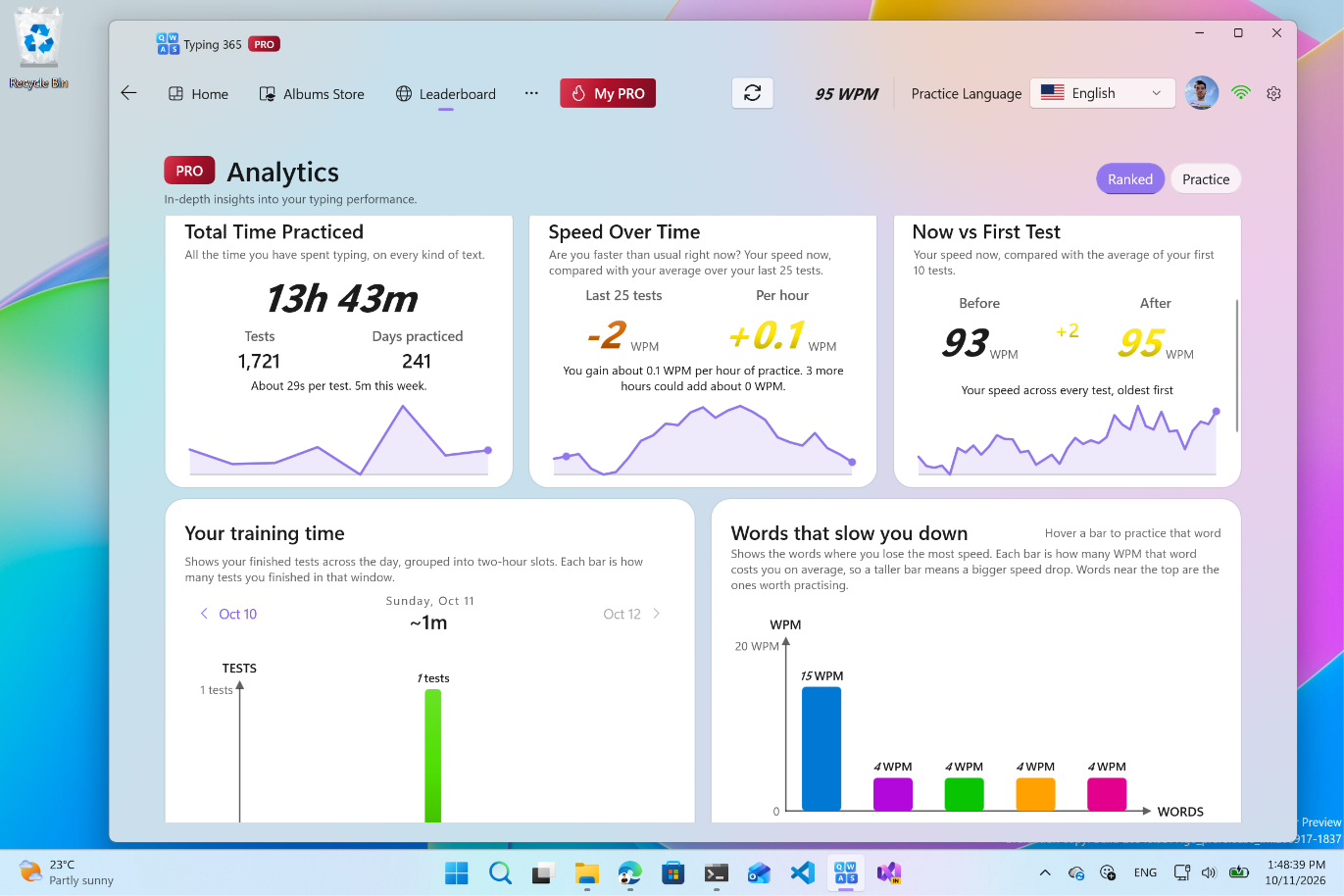
One score is only the beginning. See how your practice adds up, where you’ve improved, and what deserves your attention next.
Follow your speed trend and compare where you started with how you type today.
See your total time, completed tests, and the rhythm of your training.
Find the words that slow you down and give them a little more attention.
The details make the difference
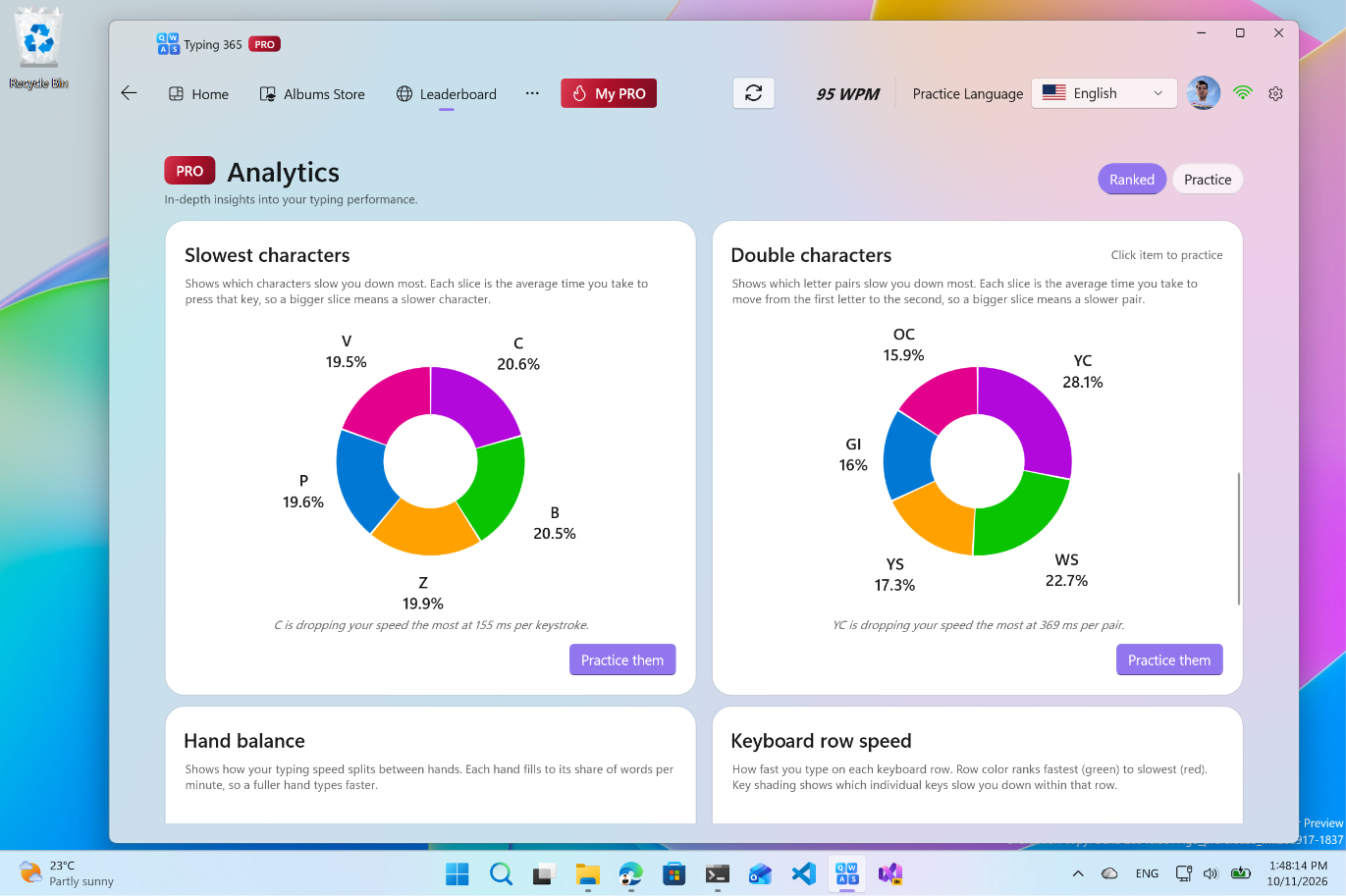
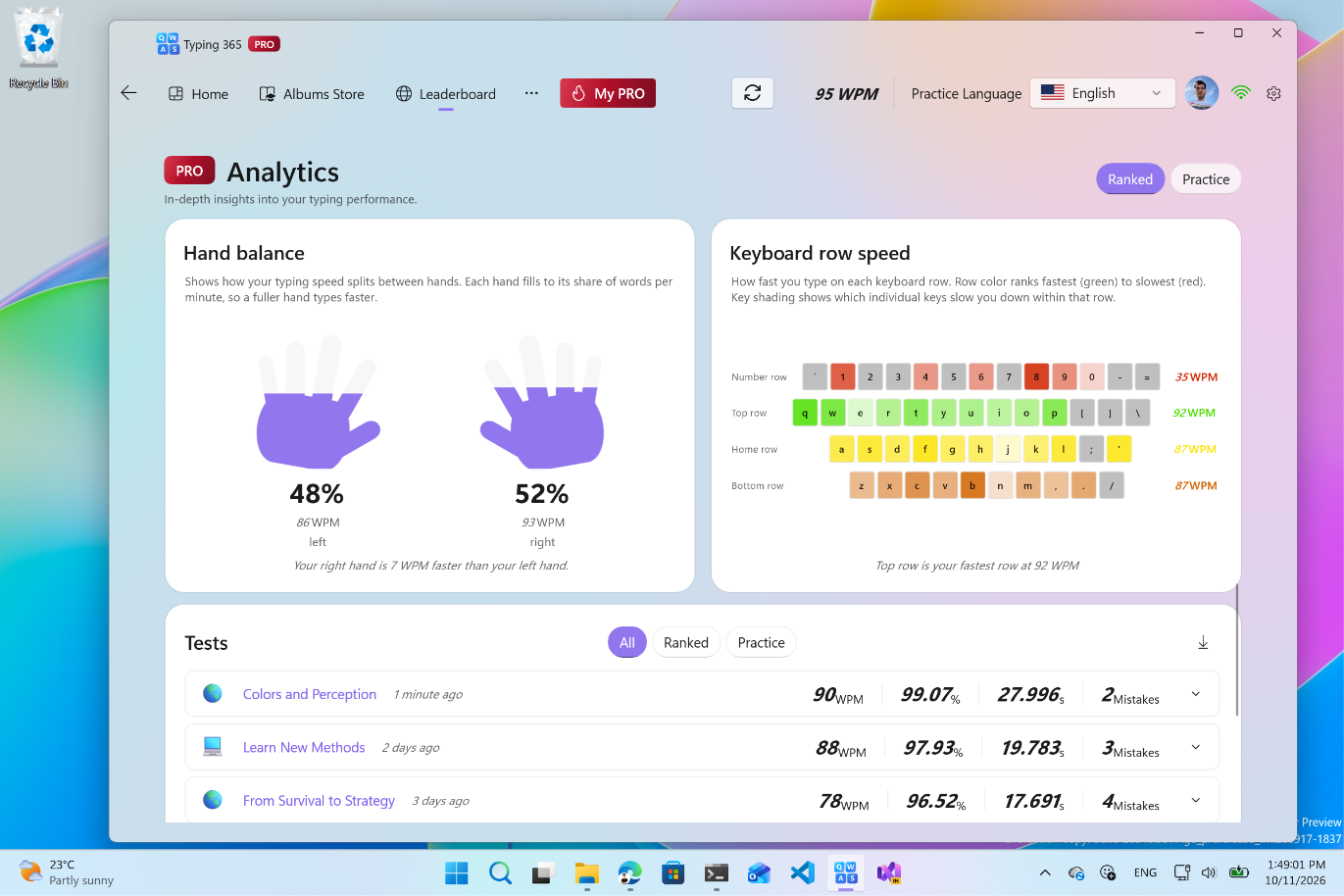
Look closer at slow characters, character pairs, and the balance between your hands. Turn a vague feeling into something you can practice.
See each word more clearly PRO
See where you typed smoothly, made mistakes, or paused. The session heatmap brings those moments into view, so you can find the words that need another try.
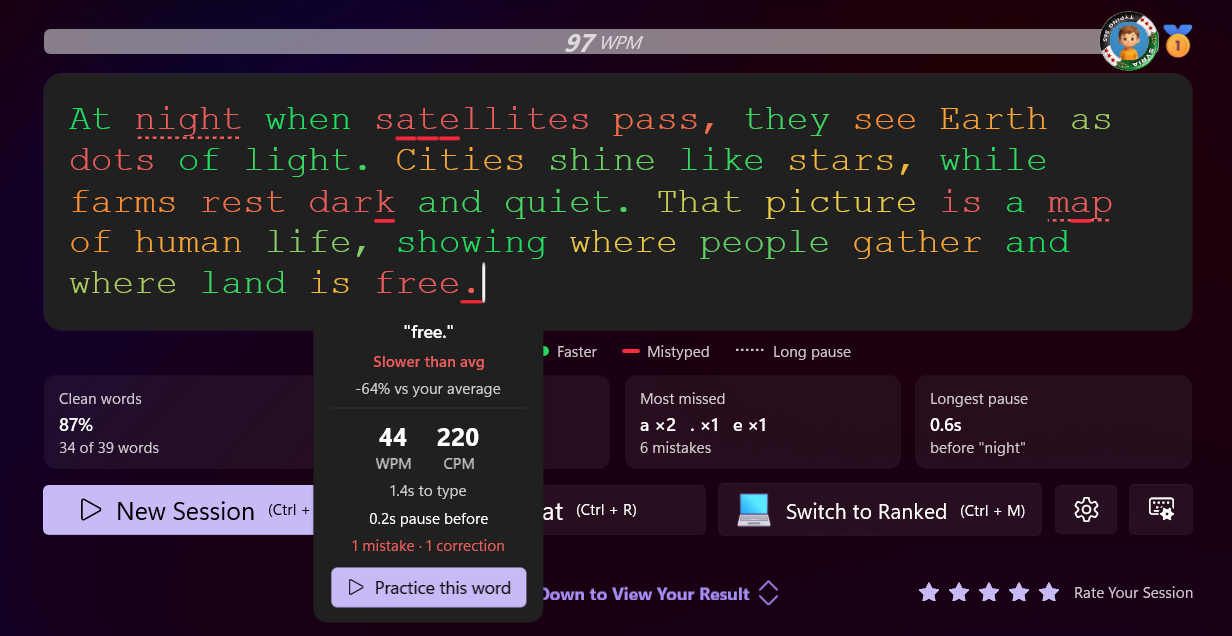
See the words you typed faster and the ones that slowed your flow.
Spot mistyped words and long pauses directly in the text you practiced.
Open a word’s details and use the practice action to give it another try.
02 / More to discover PRO
Explore exclusive PRO collections alongside the Albums Store. History, science, everyday discoveries, and stories for younger learners: find something worth typing.
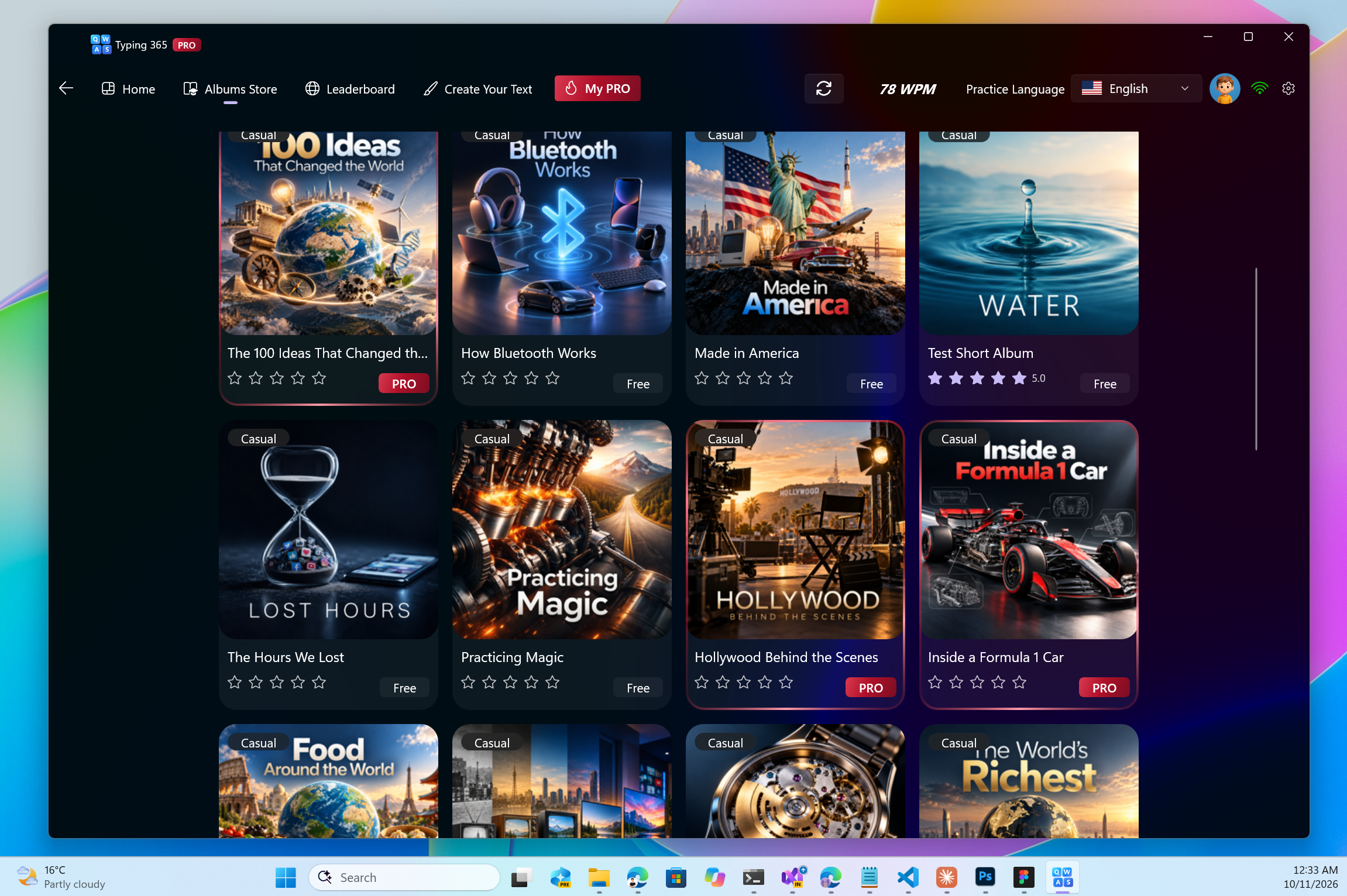
A familiar idea, with more possibilities
Build your skills with subjects you care about. PRO adds exclusive content to the same meaningful practice you know from Typing 365.
Discover the Albums Store ↗Go deeper into typing PRO
Give your practice a direction with dedicated PRO learning albums. Build speed, get familiar with each keyboard row, and spend time on symbols and punctuation.
Build real speed with a focused next step in your typing journey.

Strengthen your foundation on the keys where your fingers begin.

Get more comfortable reaching the top row of your keyboard.

Give symbols and special characters their own practice time.
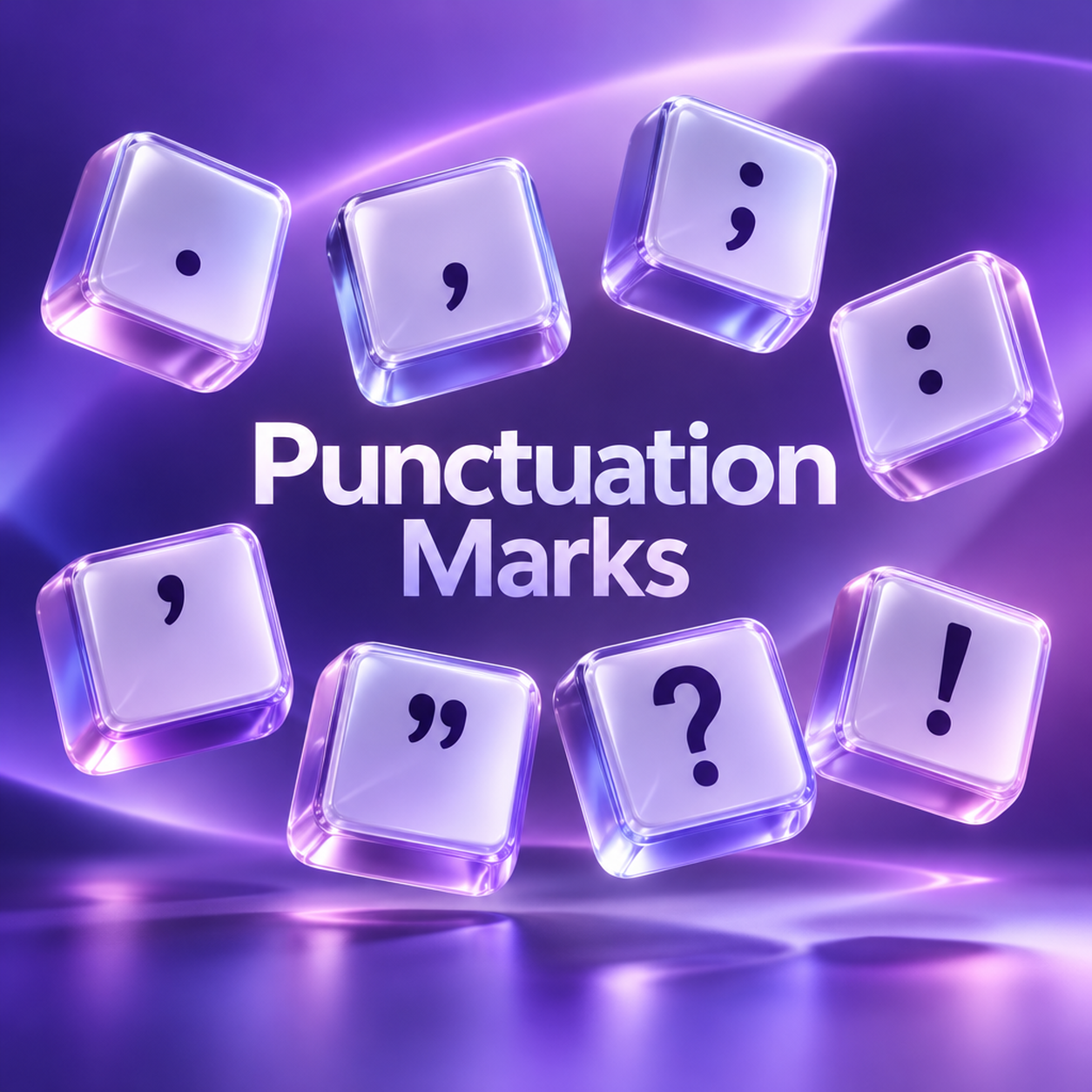
Practice the punctuation that gives everyday writing its shape.
03 / Make it yours PRO
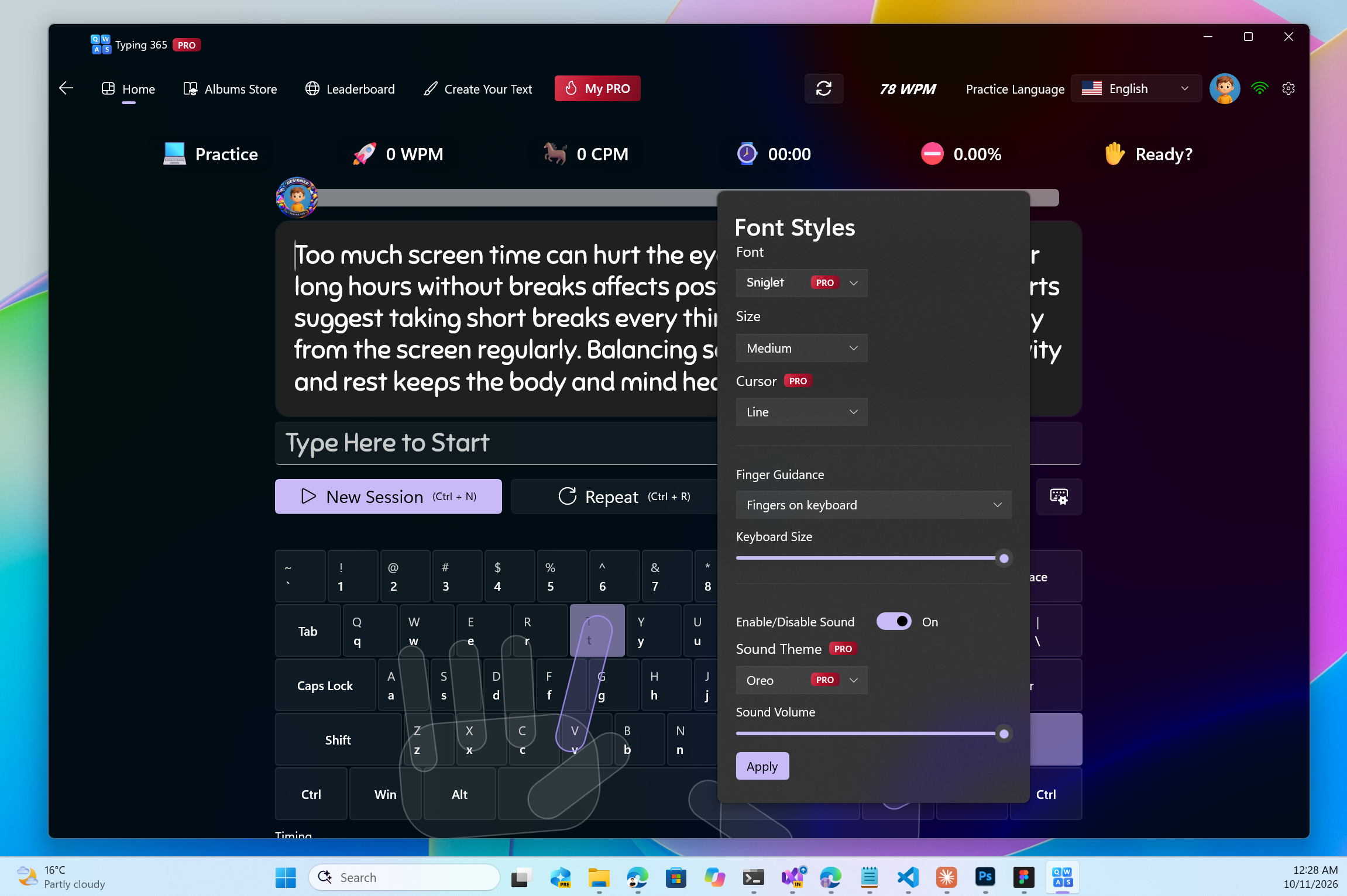
Settle into a typing experience that suits you. Explore PRO customization for fonts and sounds, with guided hands and a visual keyboard to keep you moving.
Still the Typing 365 you know
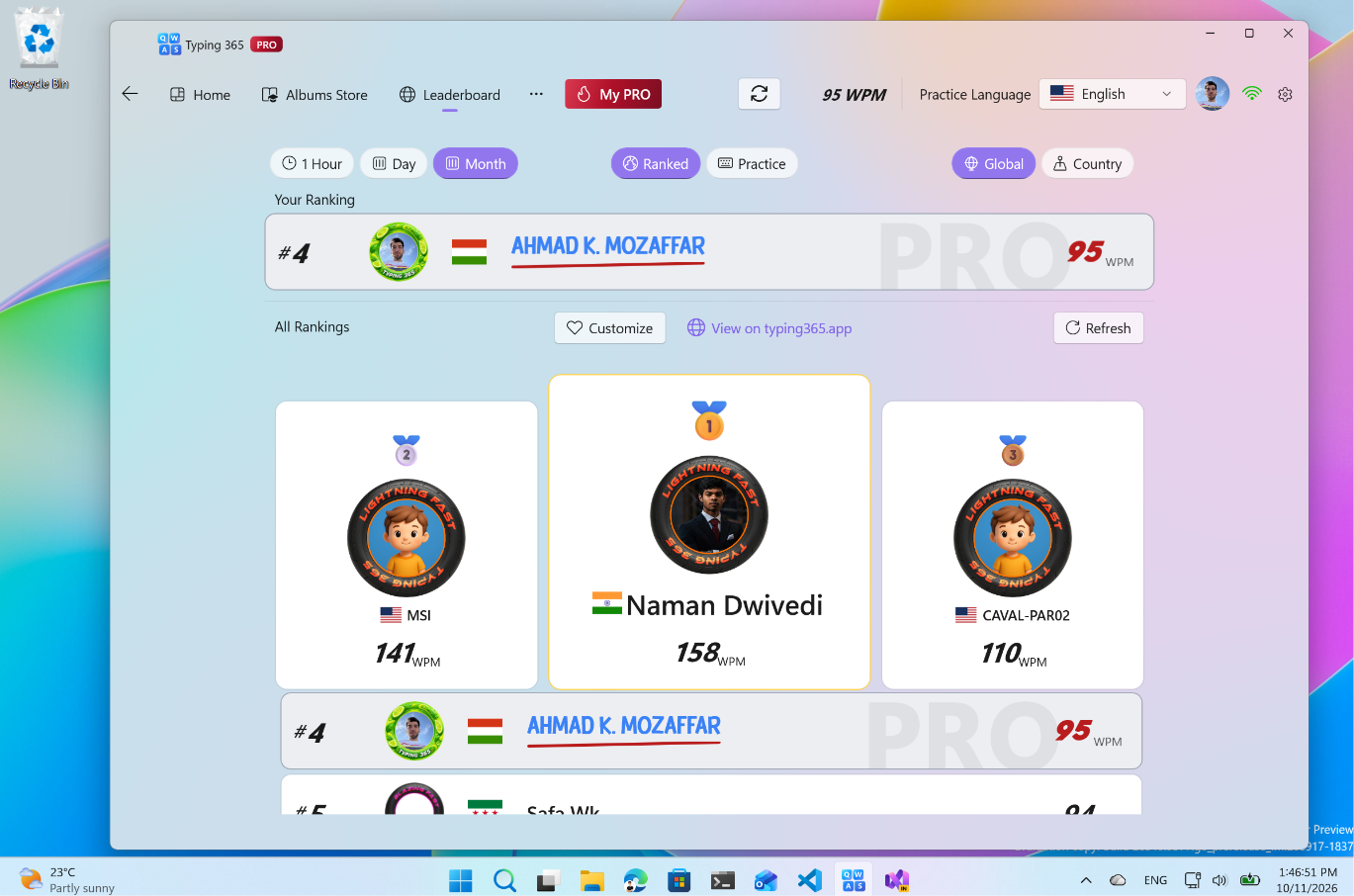
Bring your progress into the community. Make your profile recognizable, explore the rankings, and follow your place in a community that keeps practicing.
Before your next chapter
PRO adds deeper analytics, exclusive album content, and more customization options. Explore the plans page for the current features and plan details.
Yes. Typing 365 is free to download for Windows. Explore the app, then choose a PRO plan when you’re ready for more.
The red PRO badge highlights PRO features. Community rankings and guided typing are also part of the wider Typing 365 experience.
Visit PRO plans for the available options and current pricing.
Make your next typing session count.