Learn while you type.
Real texts with something worth knowing. Explore a subject, follow a story, and make every session useful.
A typing app with something to say.
Discover something new. Revisit what you’re learning. Turn your daily typing into knowledge that stays with you.
Free to get started. Built natively for Windows.


 Follow your curiosity.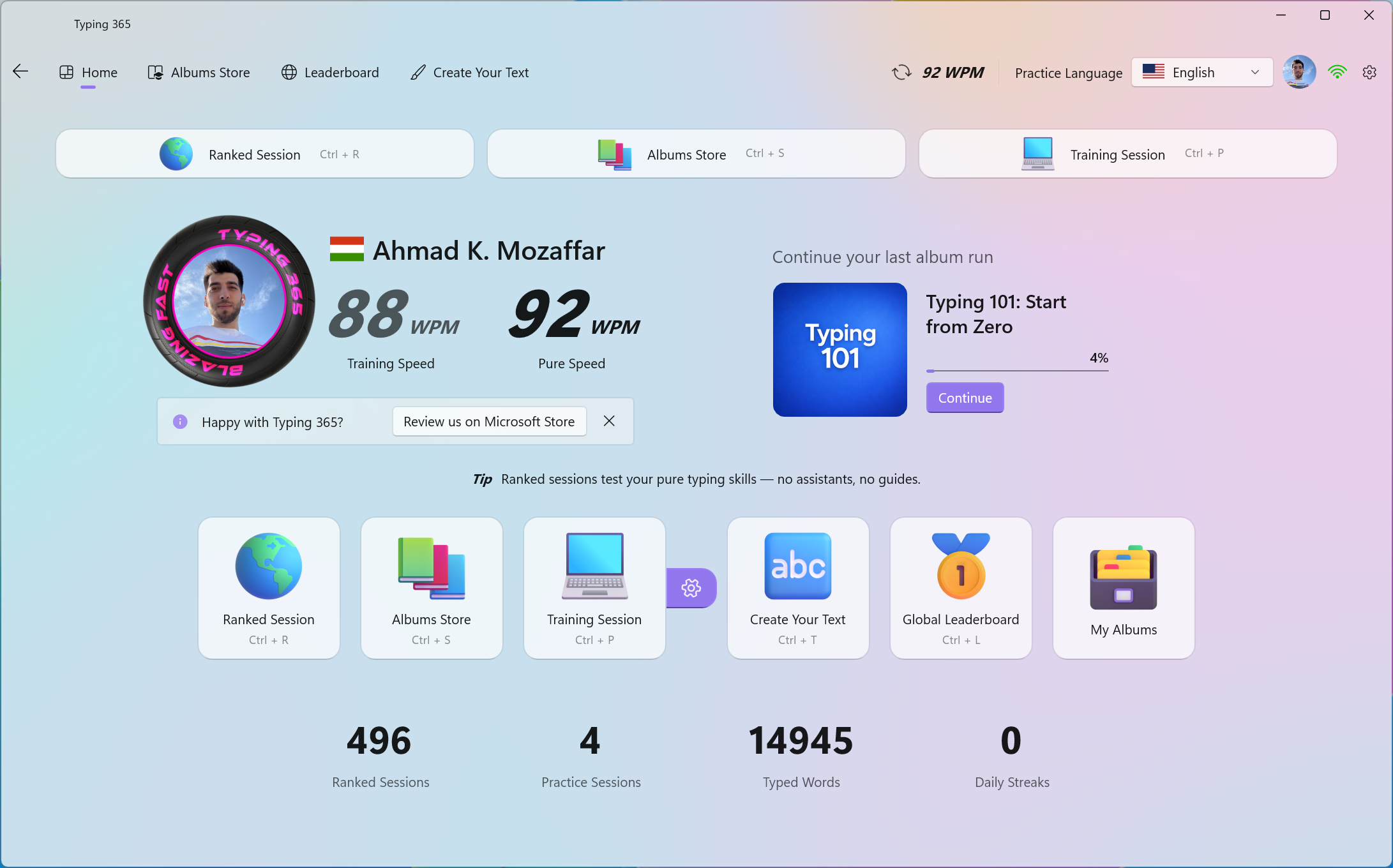
Make your practice matter
Typing is a skill. What you type can be an education. We believe your practice should give you both.
Real texts with something worth knowing. Explore a subject, follow a story, and make every session useful.
Your class notes, tomorrow’s homework, the passage you want to remember. Create your text and practice with purpose.
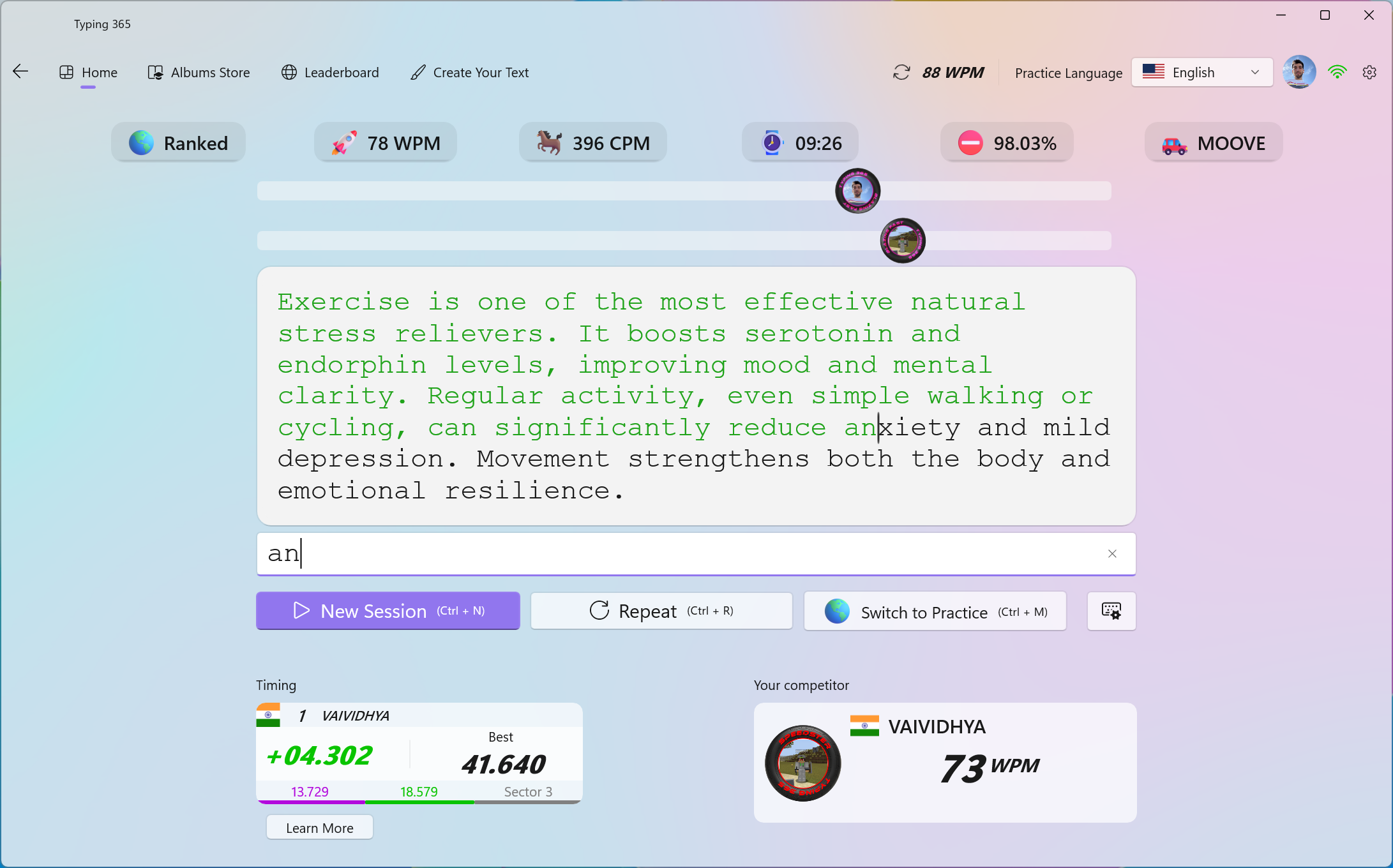
The typing engine waits for the correct character. You correct a mistake before moving on, building accuracy into every session.
Why type faster?
Less time entering words. More time for what you want to do.
500 words · a page of notes
26m 11s less keyboard time.
Same word count at constant speed. Thinking, editing, and
pauses are extra.
01 / 07
Messages, bookings, forms. Make the little things take less keyboard time.
02 / 07
Explain the goal. Add examples. Write the fuller prompt you had in mind.
 03 / 07
Keep your attention on the conversation, not the search for the next key.
04 / 07
Capture a thought. Take useful notes. Stay closer to what you want to say.
 05 / 07
Reports, updates, proposals. Spend less of your working day entering words.
 06 / 07
Use the time you save to edit, clarify, and give your message a professional finish.
 07 / 07
Finish the typing. Spend the saved minutes on your next task—or something you enjoy.
Scroll to explore. Keep going to find your album.
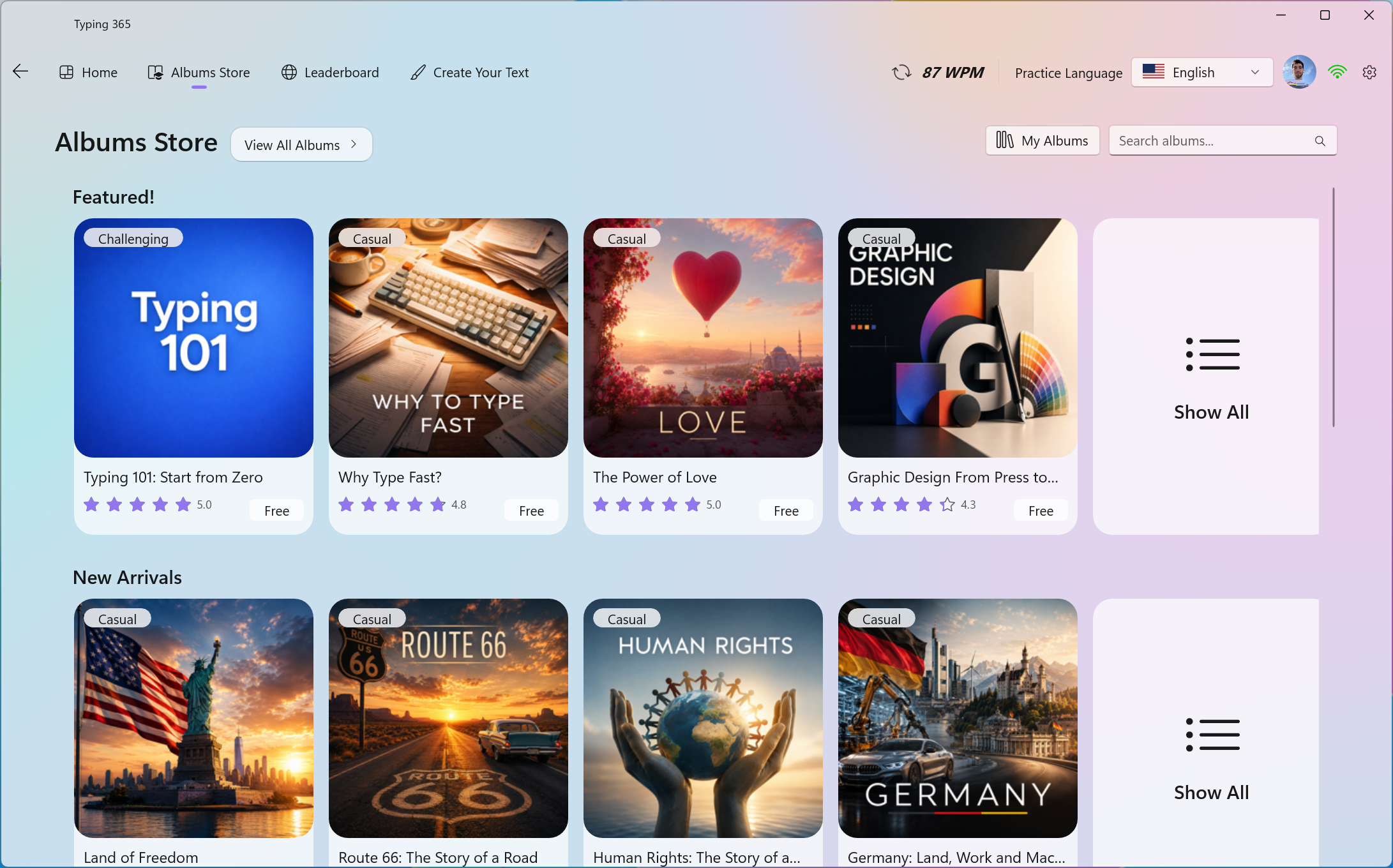
The Albums Store
Discover the stories behind the things you love.

Little hands. Big possibilities.
A whole collection of kids' albums. Discover, learn, and grow more confident with every word.
Big adventures start small.



01 / Build your foundation
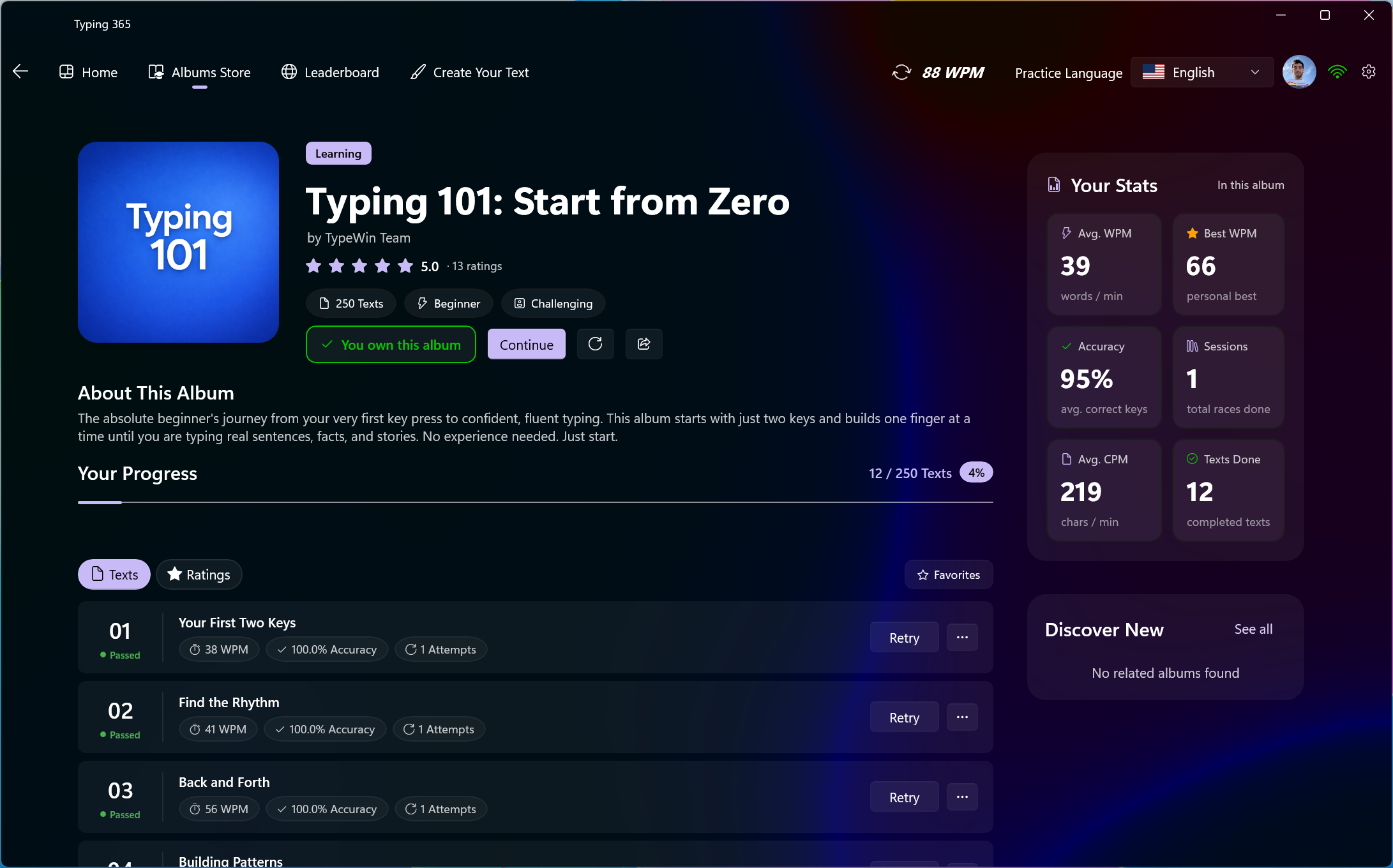
Typing 101 takes you from your first two letters toward typing mastery. One manageable lesson at a time.
Get comfortable with the first two letters.
Add keys and develop your confidence.
Grow into fluent, accurate typing.
Create Your Text
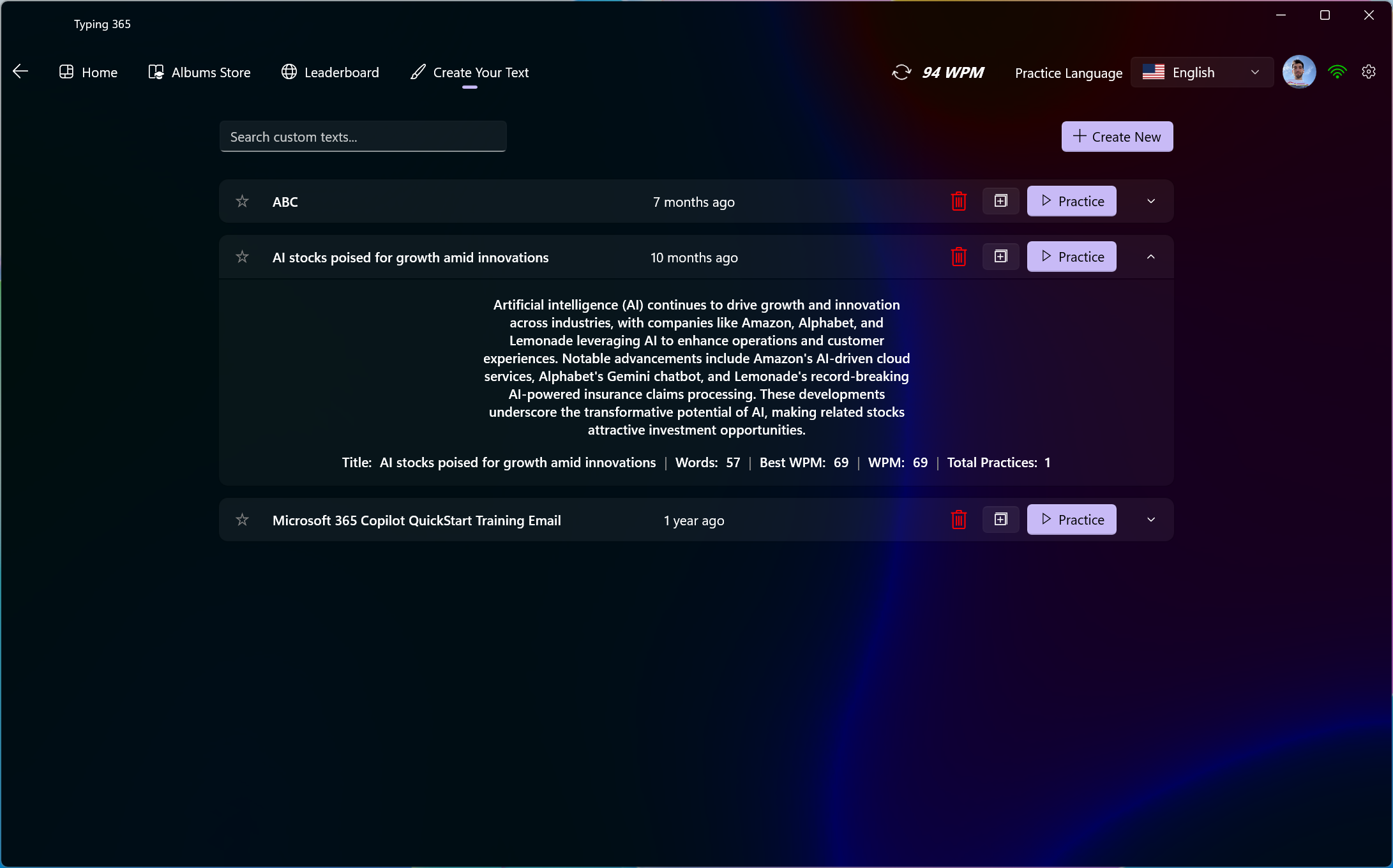
Your notes become your next session. Create a text. Type it. Revisit it when it’s time to remember.
Preparing for IELTS or TOEFL? Turn vocabulary, study notes, and sample answers into typing sessions. Build typing confidence while revisiting the English you want to remember.
Create your first text in the app ↗
Start with something you want to remember.
Turn your daily homework or revision notes into a custom text. Type it again when you want to revisit the material.
Your material. Your pace. A reason behind every word.
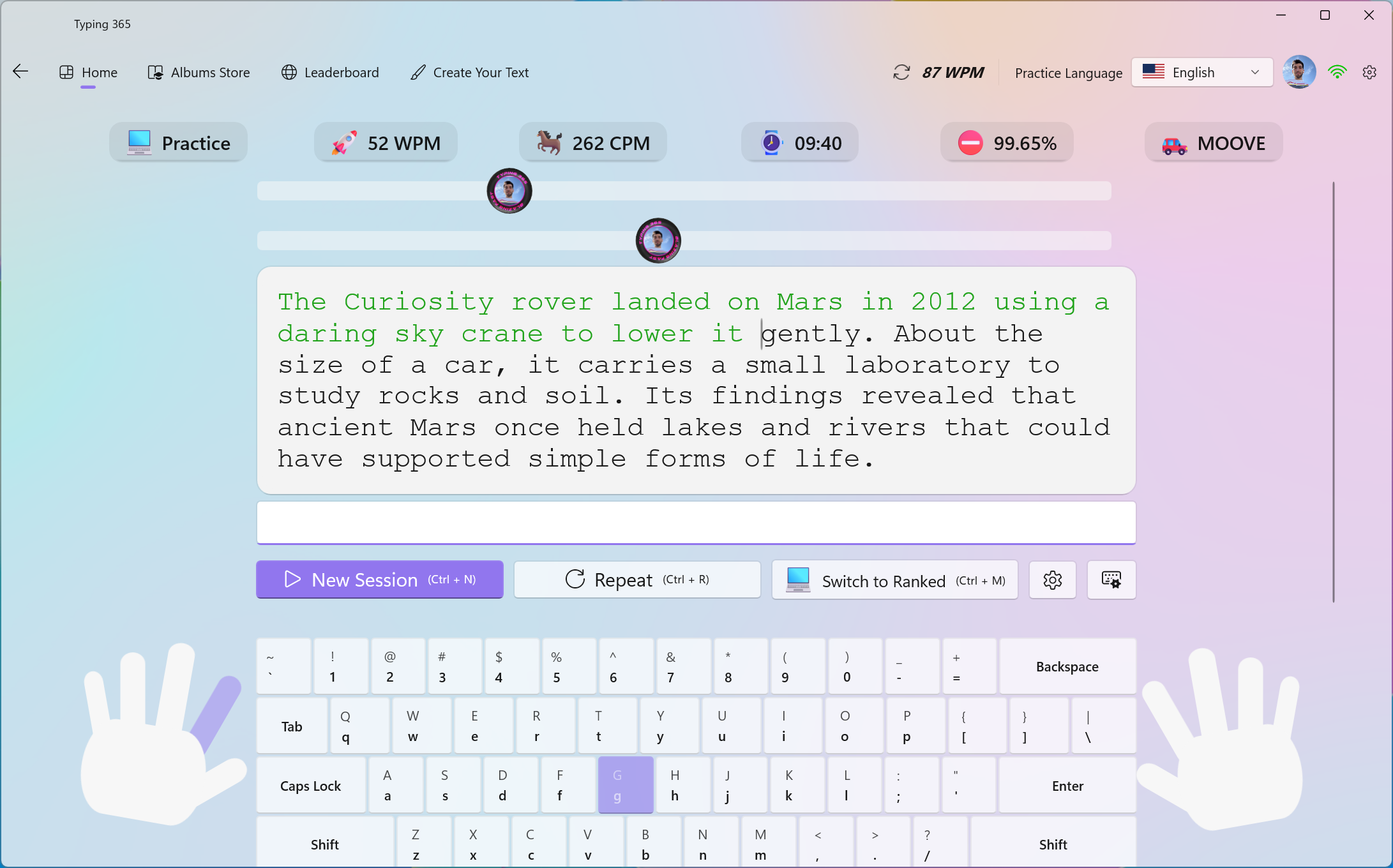
03 / See where your fingers belong
On-screen hands and highlighted keys help you connect each character to the right movement.
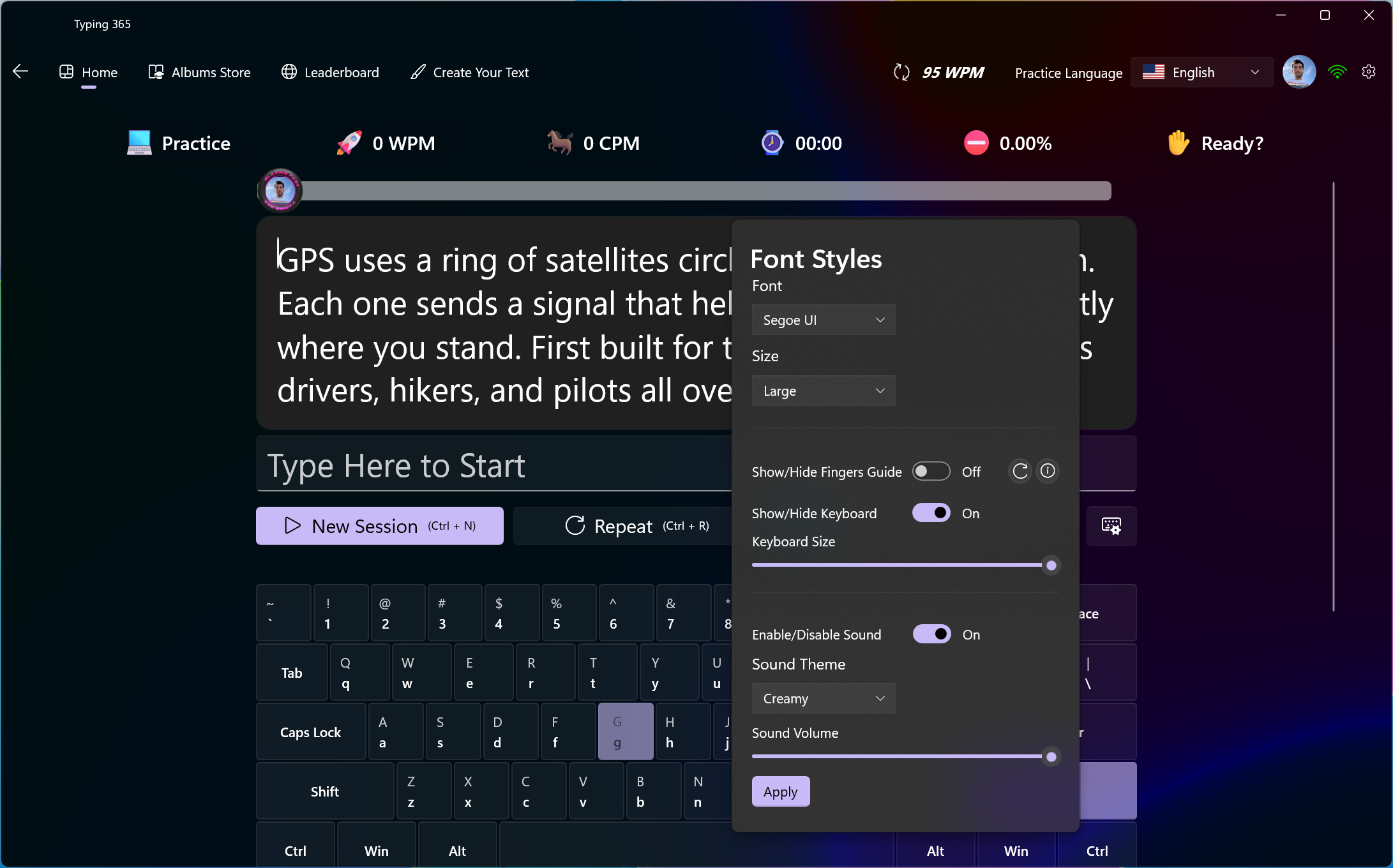
04 / Make the session yours
Adjust session and text options to suit what you’re working on.
Set up the practice experience you want to return to.
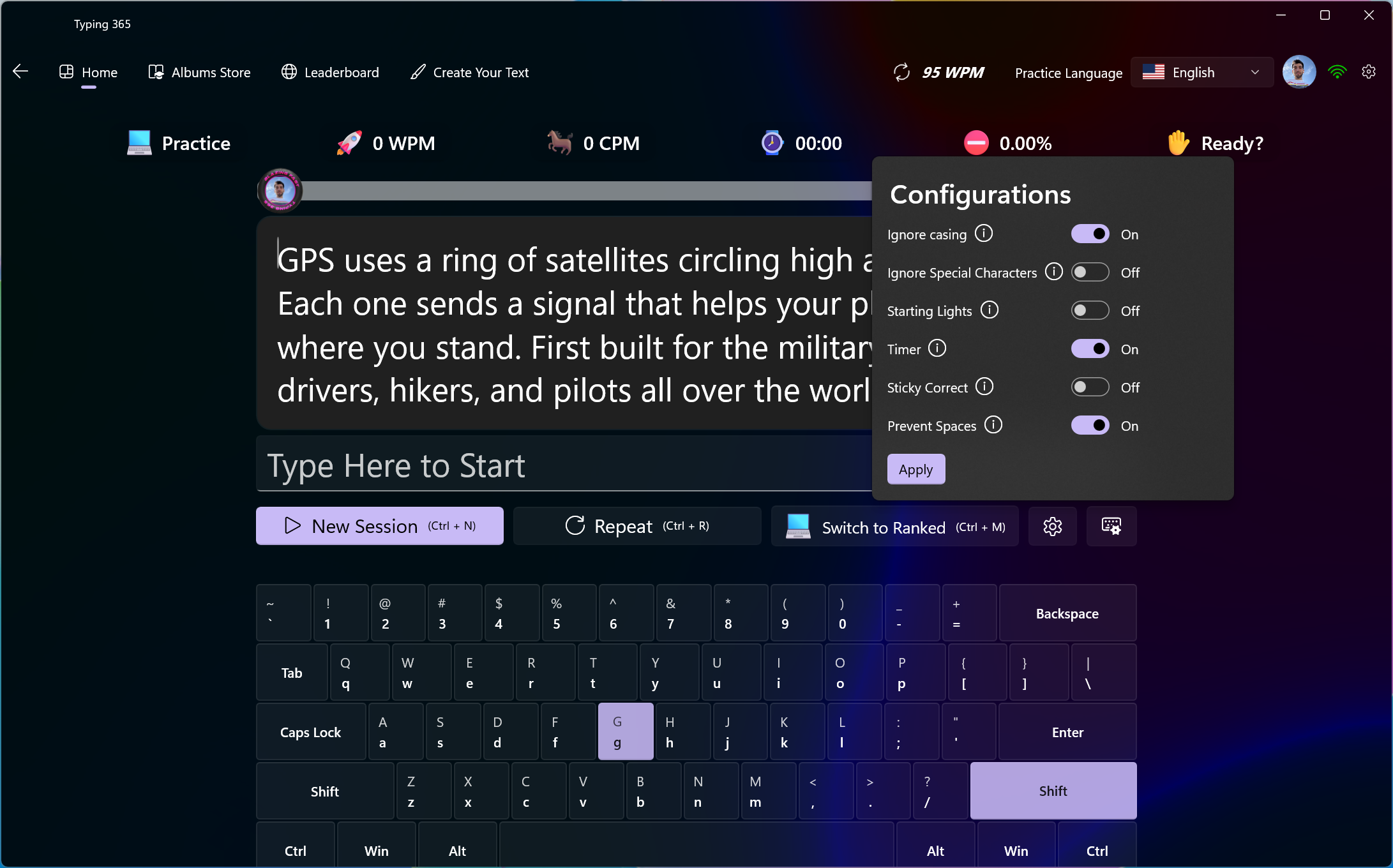
Start with letters. Bring casing and special characters into focus when you’re ready.
05 / Understand the session
Go beyond the final WPM. See word speed, accuracy, mistakes, and the highs and lows of your session.
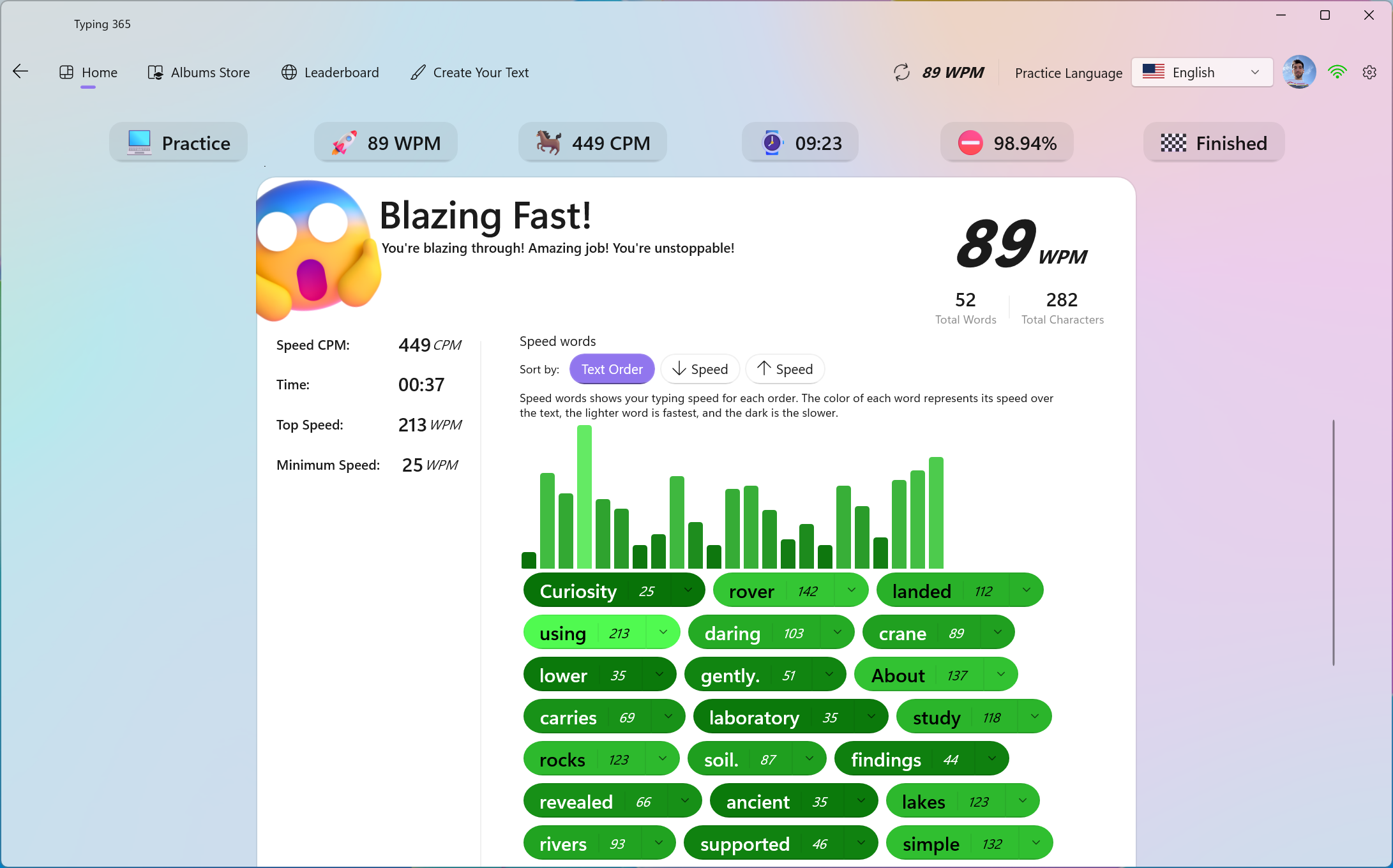
06 / Find your next improvement
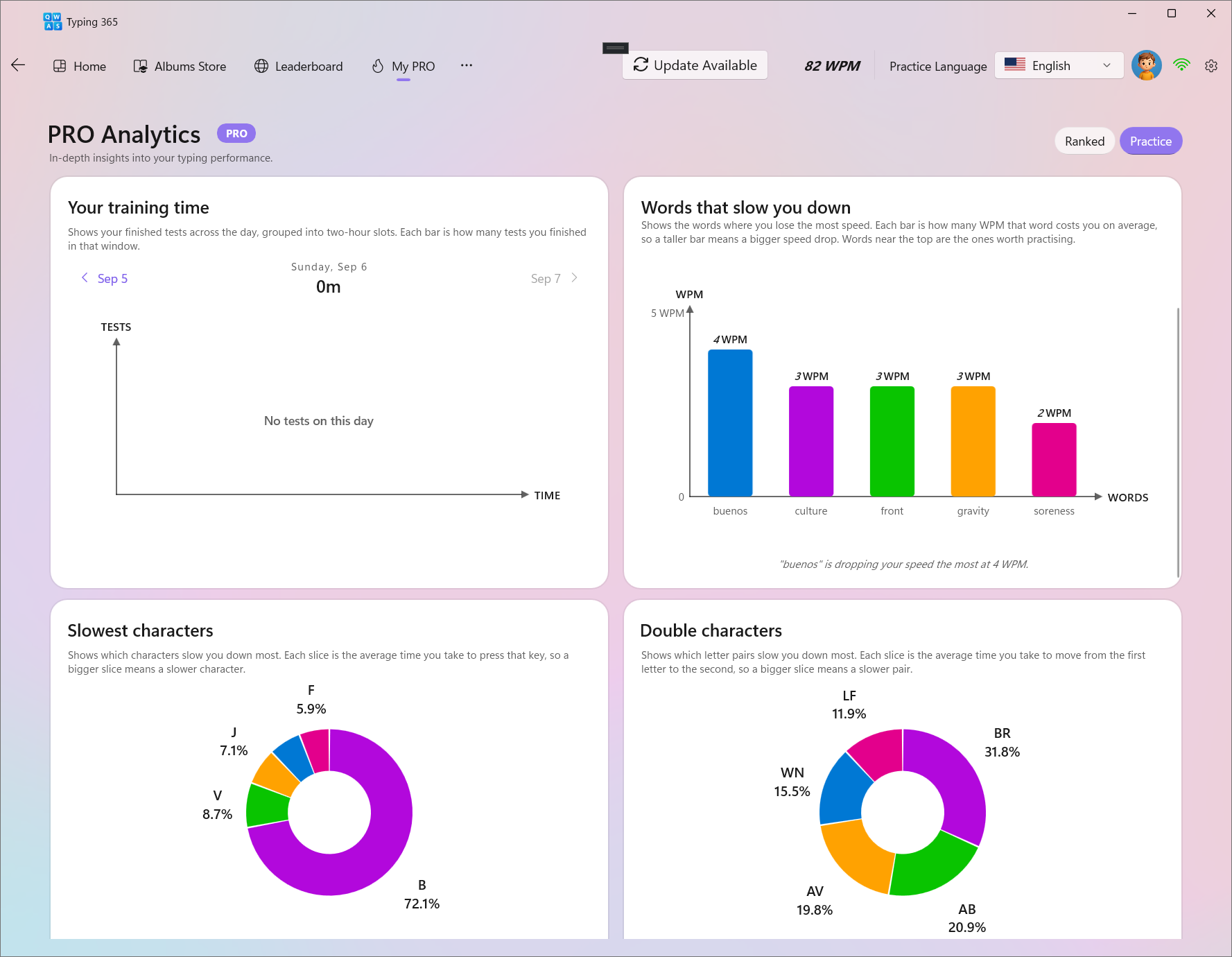
Weakness detection shows the words, characters, and letter pairs that deserve your attention.
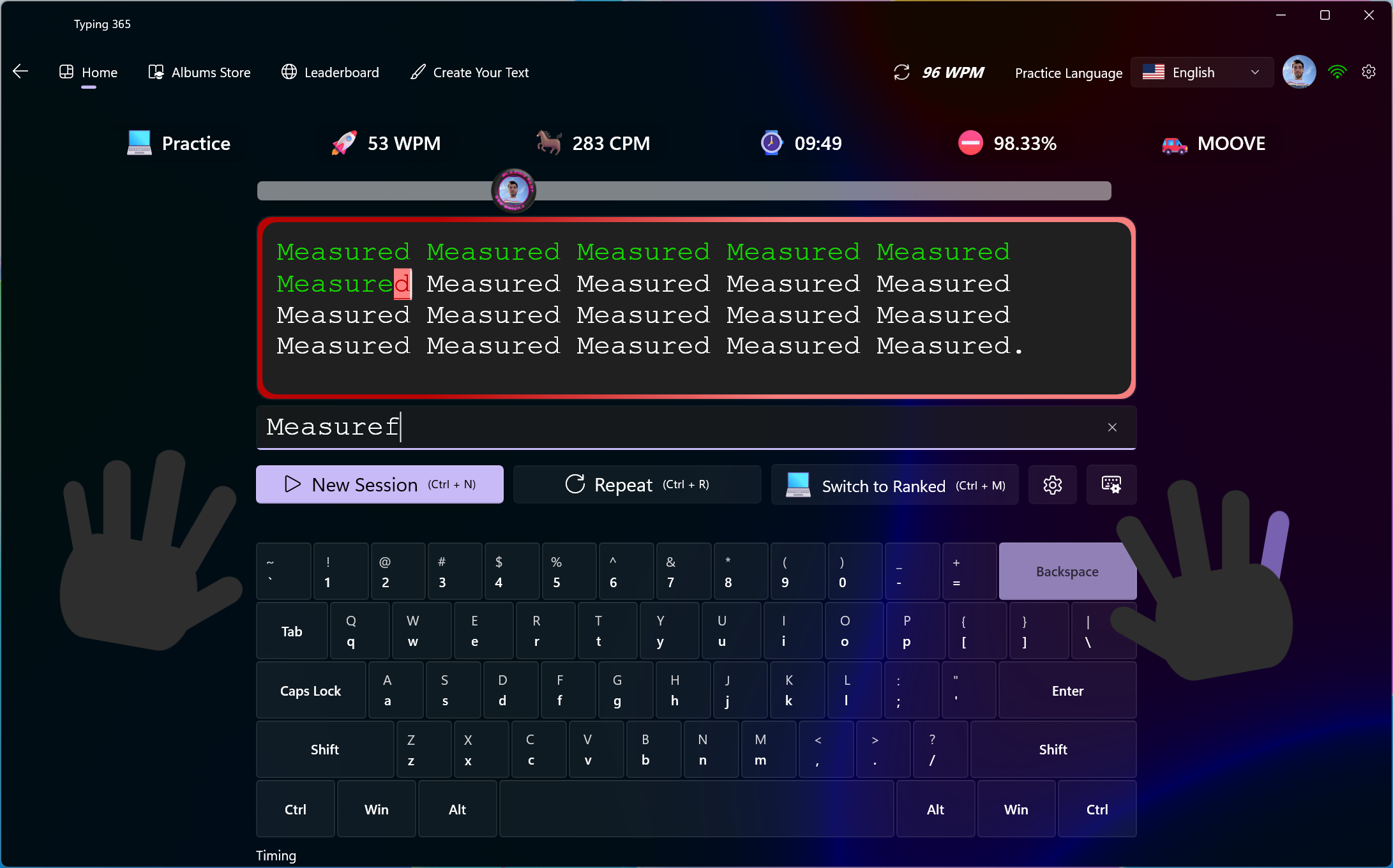
07 / Turn insight into practice
Practice your weaknesses with a clear purpose, then look back at the next result.
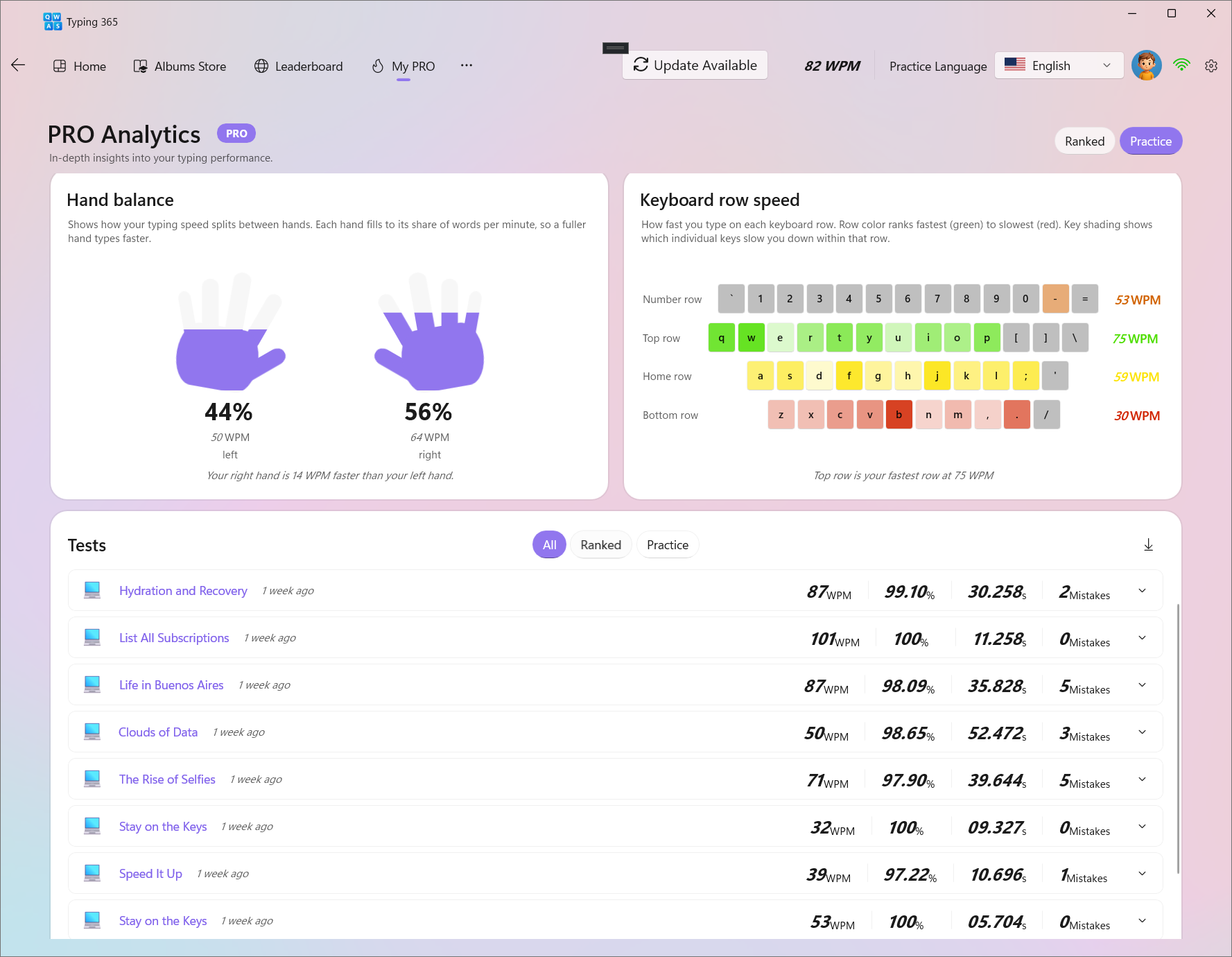
08 / See the bigger picture
Explore hand balance, keyboard rows, and your session history. See where your effort is going.
A world of words
New language. Familiar feeling. Practice with multilingual texts and discover a rhythm that’s yours.
Every word is a new beginning.
Explore more languages and keyboard layouts in the app.
The global leaderboard
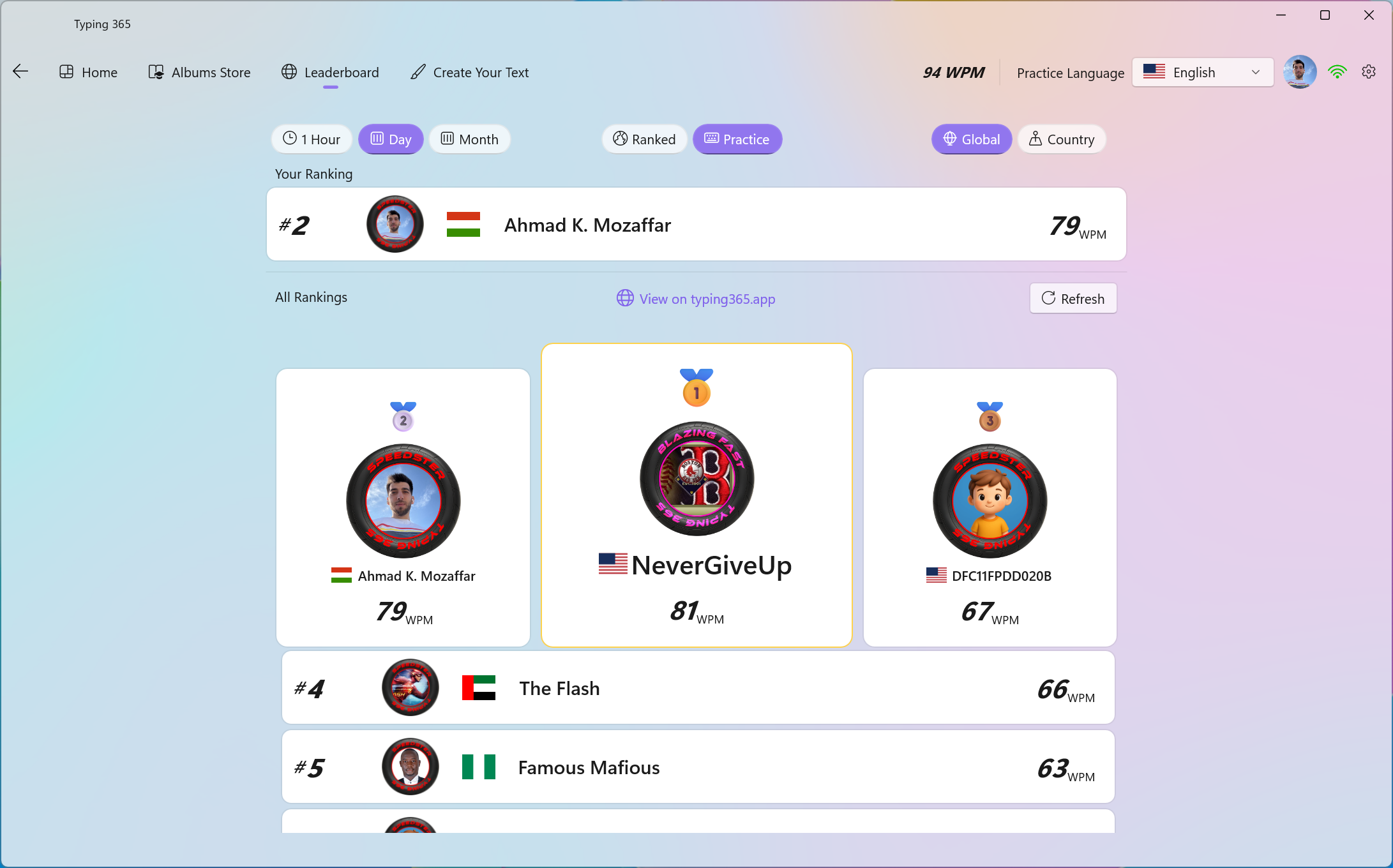
Ranked sessions. Real people. Your next personal best deserves a place here.
Loading rankings…
Together, one keystroke at a time
Follow the community’s progress as every completed race becomes part of the story.
Follow the worldwide race count as the community grows.
Open the live counter ↗Good words from good people
“I love how it pits you against yourself so that you are able to measure your own progress and grow your confidence.”
“This app triggers the competitive spirit in me.”
“The accuracy training exercises were especially helpful, as they highlight recurring mistakes and provide targeted practice.”
A few things to know
Have something else on your mind? Come say hello.
Join our Discord ↗Typing 365 is a native Windows app for meaningful typing practice. Explore albums, learn with Typing 101, study your own texts, inspect your results, and join the typing community.
No. Speed is one part of the experience. Albums provide subjects to explore, custom texts make practice useful for study, and detailed statistics help you understand how you type.
Get Typing 365 from the Microsoft Store using the download links on this page.
The Windows app is free to download. The Albums Store includes free, paid, and Pro content. Check the Pro page and the app for the current options.
Yes. Typing 101 begins with the first two letters and builds toward typing mastery. On-keyboard hands and highlighted keys help you learn the movements.
Yes. Multilingual practice includes English, German, Spanish, Russian, and Arabic. Explore the available texts and keyboard layouts in the app.
An album is a collection of texts built around a subject or learning journey. Work through its texts at your pace and return to your collection in My Albums.
Explore subjects such as history, science, everyday inventions, and the natural world. The albums shown here include Titanic, Mysteries of the Moon, and Chocolate: From Bean to Bar.
Typing 101 is a step-by-step album that teaches typing from the first two letters toward mastery. It offers a structured place to begin and continue learning.
Yes. Choose a subject you enjoy and continue through its texts for a longer session. You can also work through smaller portions when you have less time.
The focus is meaningful content: real texts that teach, explain, or tell a story. Typing 101 also uses structured exercises to build keyboard skills gradually.
The Albums Store includes a Kids filter. Explore the available collections to find material suited to the learner.
Open My Albums in the app to return to your collections and continue practicing.
No. The store includes free, paid, and Pro albums. Check each album’s availability in the app before choosing it.
Yes. Create a text from your homework or revision notes and use it for typing practice. Revisit the same material as part of your study routine.
Typing a passage repeatedly can be part of reviewing it. Use your own notes, definitions, or paragraphs, and also check what you can recall without looking.
Use Create Your Text in the app. Add the material you want to practice, then return to it when you want to study or type it again.
The engine waits for the correct character before you can continue. You correct a mistake rather than typing past it, so accuracy stays central to practice.
Correcting a mistake lets you continue, but it does not mean the incorrect keypress never happened. Session results can still show mistakes and an accuracy score below 100%.
The hands appear over the virtual keyboard to guide finger placement. Together with highlighted keys, they help connect the next character to the movement needed to type it.
Yes. The app includes session and text configuration so you can adjust the practice experience to your needs.
Text options include ignoring casing and special characters. These can help you concentrate on letters before adding more complexity.
Results include WPM, CPM, time, top and minimum speed, word-by-word speed, accuracy, and mistyped words or characters.
Yes. Session results show word speeds, including sorting by text order or speed. Pro Analytics also highlights words that cost you speed across your recorded performance.
The supplied Pro Analytics views identify slow words, slow characters, and letter pairs. These show where movement or recall may be slowing your typing.
Yes. Weakness practice lets you work on the areas that need attention. Use your results to choose a focus, practice, and review your next sessions.
Hand balance compares your typing performance between the left and right hand. The analytics view shows each hand’s share and speed.
It compares performance across the number, top, home, and bottom rows. Key shading also helps identify slower keys within a row.
The test history lists recorded sessions with speed, accuracy, duration, and mistakes. The supplied analytics view offers All, Ranked, and Practice filters.
The deep analytics screenshots on this page are marked Pro in the app. Visit the Pro page for the current feature and pricing details.
The global leaderboard is available in the app. This homepage also loads a current public English leaderboard for one-minute sessions.
Practice gives you a place to learn and focus on your own material. Ranked sessions connect your performance to the competitive side of Typing 365.
They make your profile recognizable across the experience, including sessions and the community. Frames can express milestones, consistency, or where you are from.
Yes. Use the avatar customization options in the app to choose your identity and explore available frames and their requirements.
It shows the worldwide race count as the community types. Follow the Live Counter link for the dedicated live view.
Join the Typing 365 Discord using the community links on this page. You can also leave a review through the Microsoft Store.
Learn something. Remember something. Get a little better at typing.